
Thursti is AI digital signage for bars, breweries and restaurants. List your beers, pick your leagues, schedule a trivia or bingo night, hit play — it runs on any smart TV or a $30 stick.

Type “Space Dust.” Thursti fills in brewery, style, ABV, IBU and tasting notes. Price it by the pour — 5oz, pint, growler, pitcher. Or snap a photo of your paper menu and let the AI digitize it.

Live scores, standings and team pages for NFL, NBA, MLB, NHL, college football and basketball, MLS, Premier League, WNBA and more. Pick your local teams once; it updates itself.

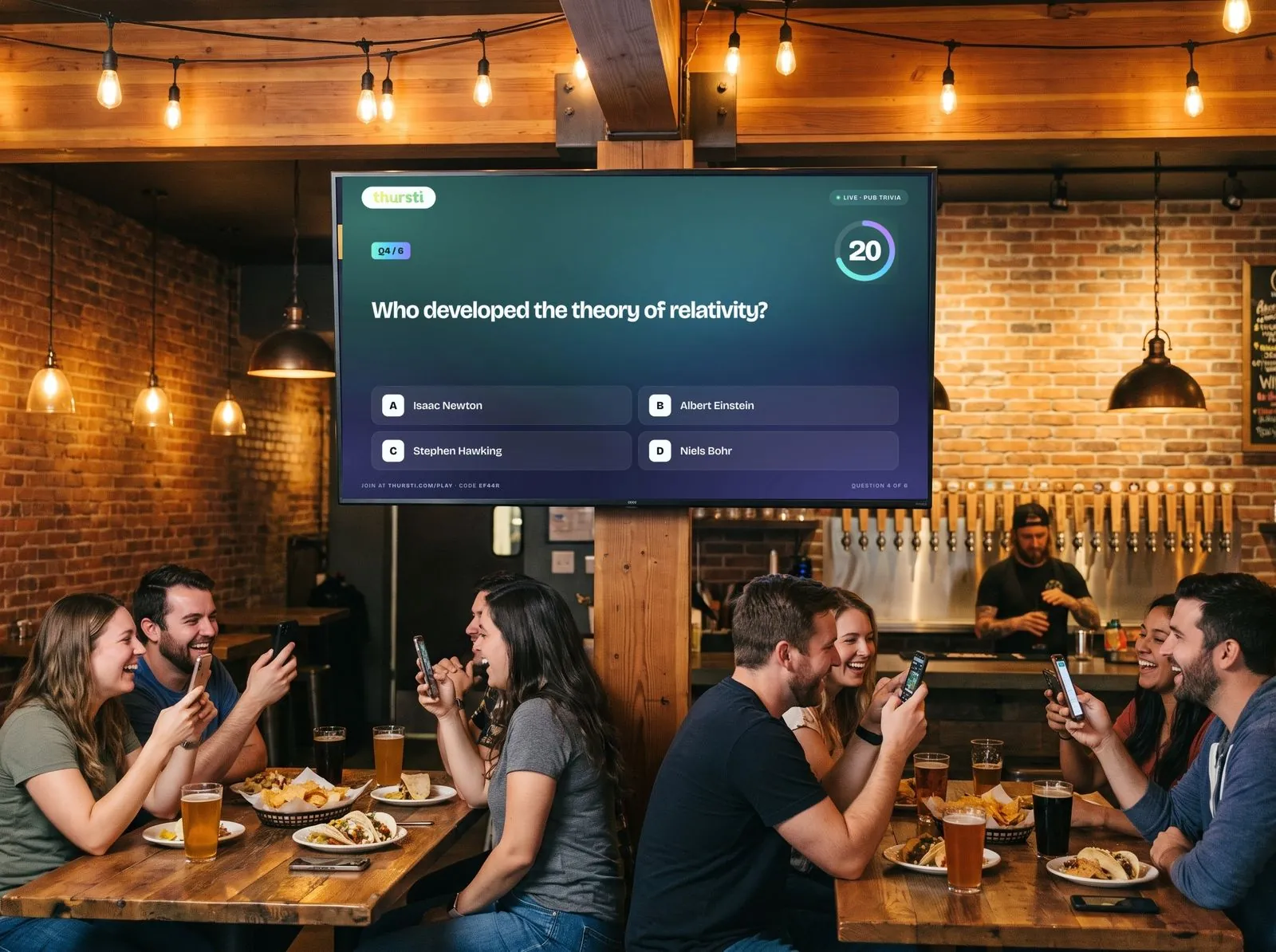
Hundreds of built-in questions on screen, free. On Pro, guests scan a QR code and play from their phones — hosted by you or fully automated. How interactive trivia works →

Classic 75-ball bingo or themed bingo — 80s, 90s and 2000s movie quotes, song-title music bingo, world events. Guests scan to get a digital card and daub on their phones. Build your own themes. How bar bingo works →
How it works
No designer, no spreadsheet, no proprietary media player. Set it up once from your computer; keep the beers and prices current from your phone.
Nine menu themes — chalkboard, broadsheet, taproom, neon and more. Choose columns, beers per page, which details to show, and drop in your logo.

Add a beer by name. Thursti’s AI fills in the brewery, style, ABV, IBU and tasting notes. Name your pour sizes — 5oz, pint, growler, pitcher — and set a price for each. Update beers and prices from your phone any time.

Open the Thursti player on your Google TV, a browser, or a $30 Android stick, type the pairing code, done. Change the list and the screen updates on its own.

Live sports
Pick your home teams and the leagues your regulars care about. Thursti puts live scores, standings and team pages on your side screens — the ones that used to run someone else’s commercials.

Smart scheduling
Build a playlist for each part of the day and drop it on the calendar. Happy hour starts at 4, trivia takes over at 7, the late-night menu runs until close — every screen switches on its own.
Hardware
No proprietary box, no installer. Open the player, type the code on the screen into your account, and you’re live.
Install the Thursti app straight from the TV. Nothing else to buy.
Chrome, Edge, Safari or Firefox on any computer plugged into a TV. Full-screen and go.
Fire TV Stick or Chromecast with Google TV turns any TV or monitor into a Thursti screen.
482913Your pairing code shows on the TV.
Pricing
Every new account gets 30 days of Pro, no card. Keep it or don’t — your screens stay on either way.
Everything you need to put menus and scores on your screens. We run an occasional ad between your slides to cover the cost.
Your screens, your content only — plus live trivia and bar bingo your guests play from their phones.
After 30 days you drop to Free automatically. Nothing turns off except Interactive Trivia, Bar Bingo and the ad-free switch. Upgrade any time from inside your account.
Usually nothing. If your TV runs Google TV or Android TV, install the Thursti app. Otherwise a $30 Fire TV Stick or Chromecast with Google TV does it, or any computer with a browser.
Create an account (30 seconds), type in your beers (a minute or two — the AI fills in the details), open the player on the TV and enter the pairing code. You can have a menu on a screen in about five minutes.
Your account becomes a Free account. Your menus, sports, scheduling and screens keep working. Interactive Trivia and Bar Bingo pause and occasional ads appear between your slides until you upgrade.
Yes. Upload your own images and videos and mix them into any playlist alongside the beer menu, sports, trivia and bingo.
Both plans include 5 screens. Each screen can run its own playlist and schedule — sports at the bar, the menu by the taps, trivia or bingo in the back room.
Classic 75-ball bingo, or themed pop culture bingo: 80s, 90s and 2000s movie quotes, song-title music bingo and world-events bingo are built in, and you can create your own themes with text, images or YouTube clips. Guests scan a QR code and get a digital card on their phone; a caller runs it from a phone console or it runs fully automated on a schedule. More about Interactive Bar Bingo →
30 days of Pro, no credit card, no contract. Menu on the screen tonight.
Start Free — No Card Needed